
WAKA TV DOWNLOAD & INSTALLATION GUIDE
Download Waka TV App and Install on Android TV
Download Waka TV app for Android TV, TV Box or TV Stick with this step-by-step installation guide. You will learn how to install Downloader, allow the required installation permission, enter code 491126 and complete the Waka TV setup.
Download Waka TV App with Downloader
This guide explains how to download Waka TV app through Downloader and install it on a compatible Android TV, TV Box or TV Stick.
Quick Installation Overview
1. Install Downloader
2. Allow Installation
3. Enter the Code
4. Start the Download
5. Install Waka TV
6. Open the App
Before You Start
Before beginning the installation, check the following:
Step-by-Step Waka TV Installation
View TutorialStep 1: Install Downloader by AFTVnews

Step 2: Allow Downloader to Install Apps
Step 3: Open the Downloader App
Step 4: Enter the Waka TV Downloader Code
491126
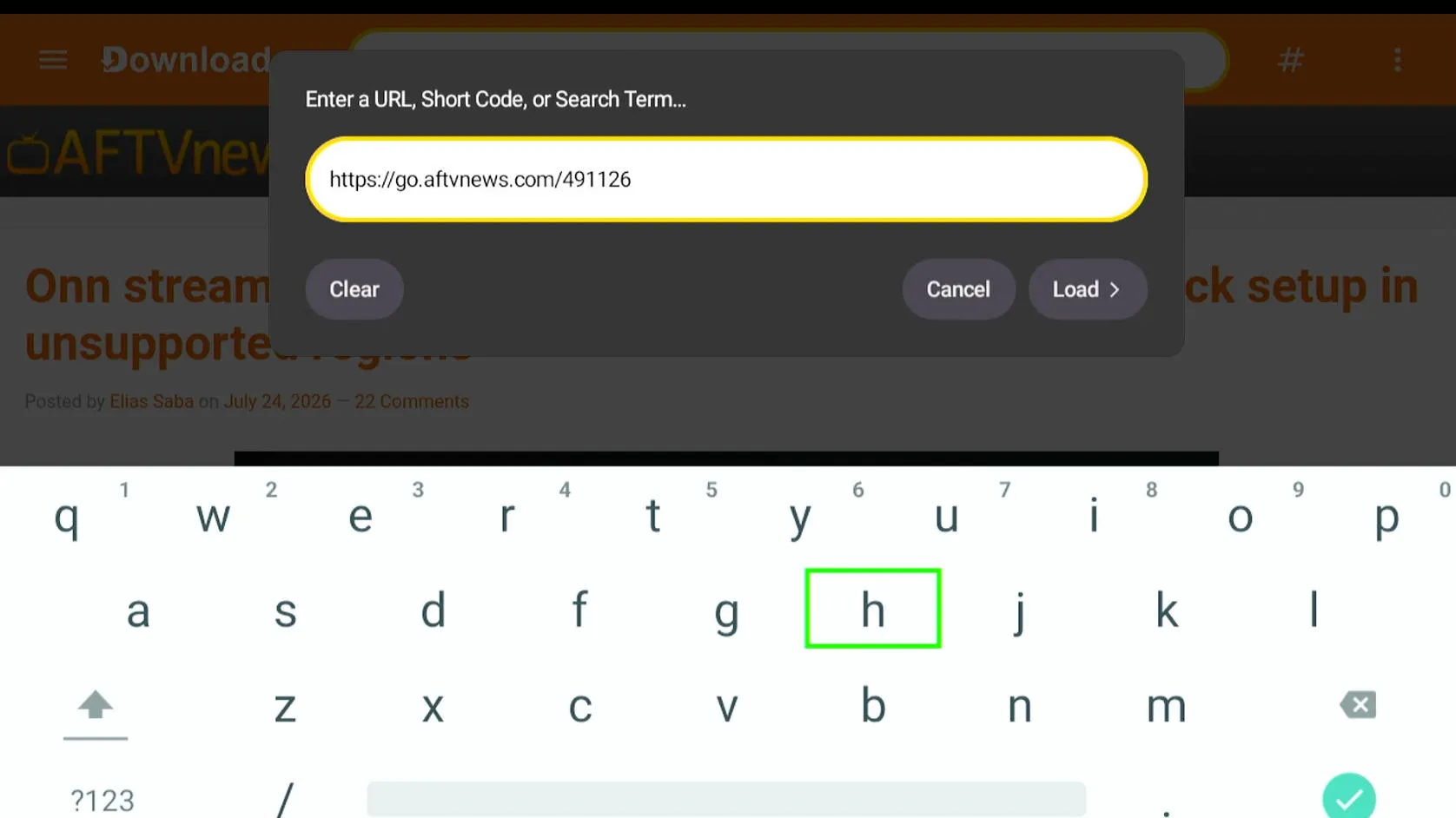
Step 5: Download the Waka TV Installation File
Step 6: Install Waka TV
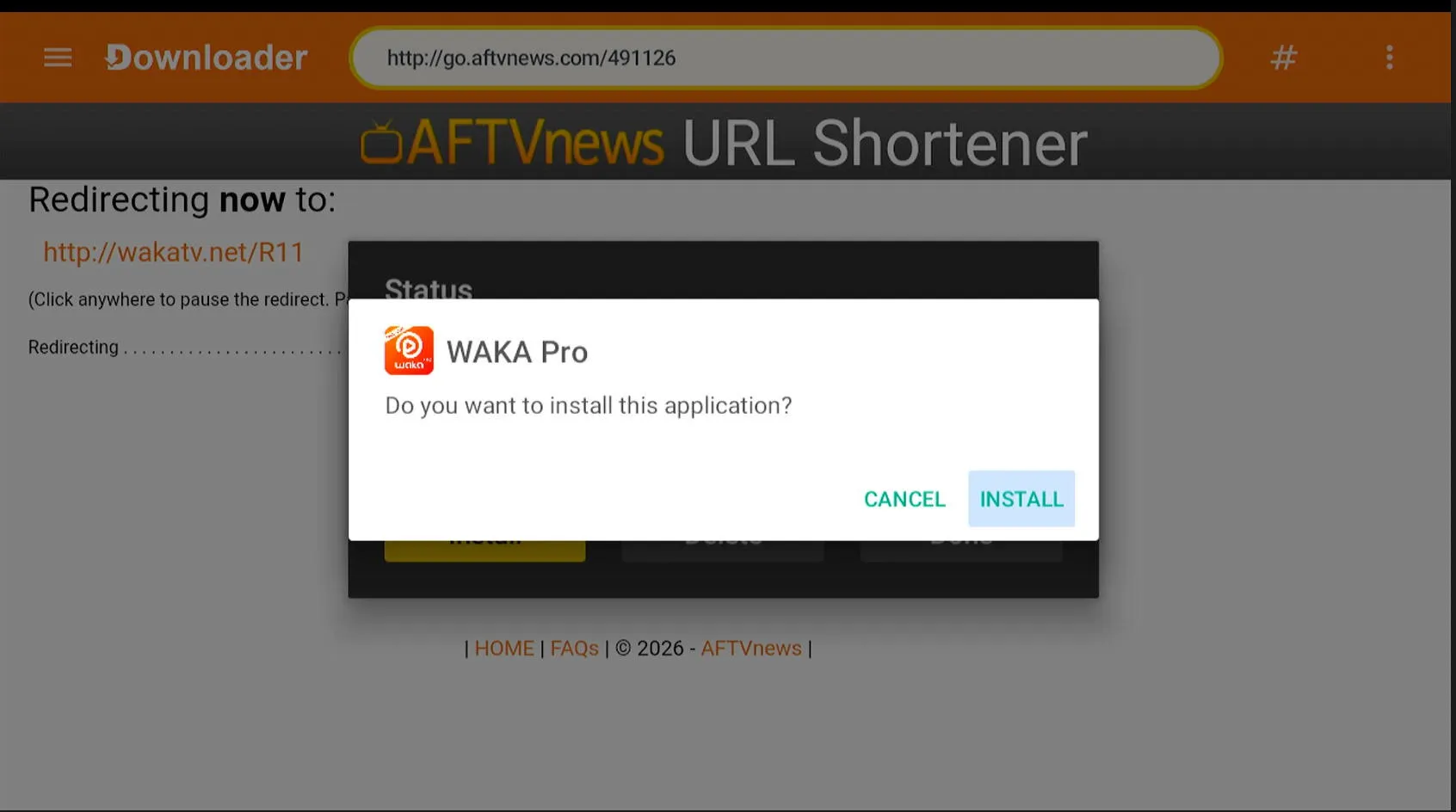
Step 7: Complete the Security Clean-Up
Waka TV Download and Installation FAQs
Can I install Waka TV on any Smart TV?
Waka TV requires a compatible Android-based device. A Smart TV that does not use Android TV may not support direct installation. In that situation, a compatible Android TV box or TV stick may be required.
What is the Downloader code for Waka TV?
The Downloader code shown in this guide is 491126. It is used to access the Waka TV installation file through Downloader by AFTVnews.
Is 491126 my Waka TV recharge code?
No. Code 491126 is only the Downloader code used during installation. Your personal recharge code is supplied separately after purchasing or renewing a Waka TV subscription.
Do I need Downloader to use Waka TV?
Downloader is required only for this installation method. After Waka TV is installed successfully, you can open Waka TV directly from your device’s Apps section.
Can I delete Downloader after installing Waka TV?
Yes. Waka TV can continue to operate without Downloader after installation. However, keeping Downloader may be useful if you need to reinstall or manually update the app later.
Why does Android ask me to allow unknown apps?
Waka TV is being installed through Downloader rather than directly from the Google Play Store. Android therefore requires your permission before Downloader can install the file. Disable this permission again after installation.
How do I update Waka TV?
If Waka TV provides an in-app update option, follow the instructions displayed inside the app. If a manual update is required, use the current verified download method and install the newer version over the existing app.
What should I do if I still need help?
Confirm your device model, Android version and the step where the problem occurred. Then contact Waka TV Global support and provide a screenshot of the error message.